Step 1:
Click on Exchange and Click on Data Snychronisation
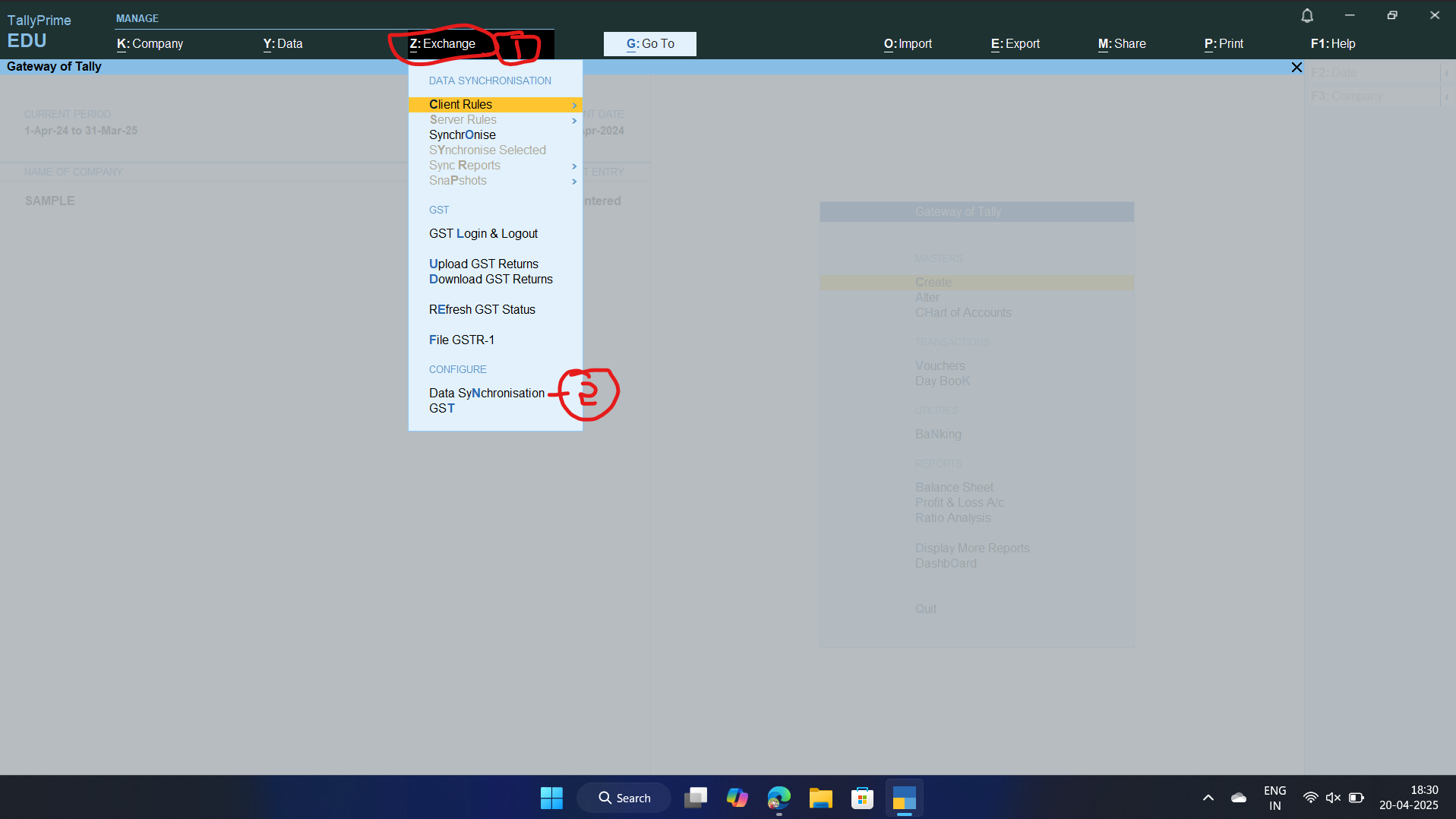
Step 2: Click on Click/Server configuration
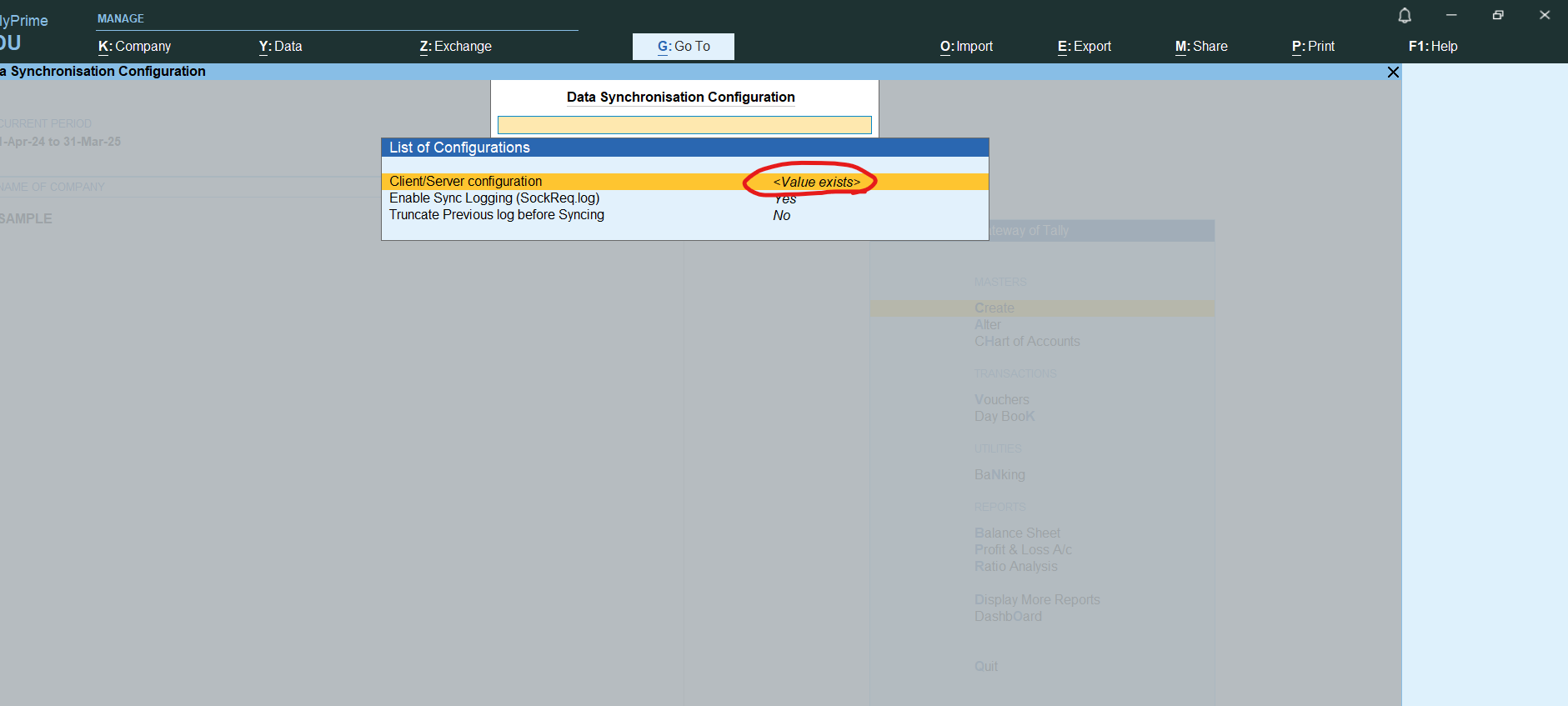
Step 3: Ensure that the ODBC is enabled for BOTH with port 9000:
Step 4: restart tally
Step 5: open the required tally file
Step 6: Open Excel
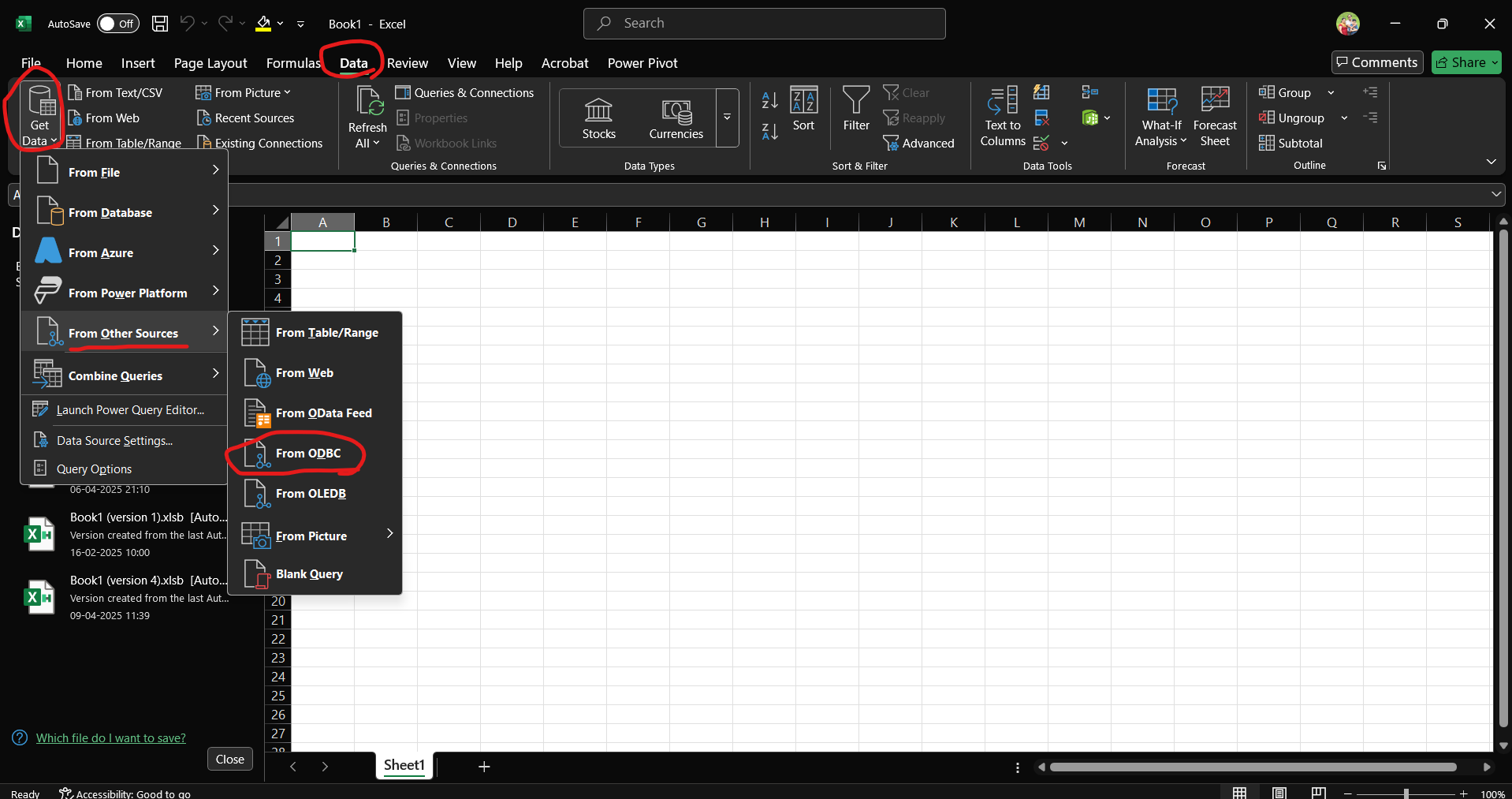
Step 7: Click on data tab, then Get data -> Other Sources -> From ODBC
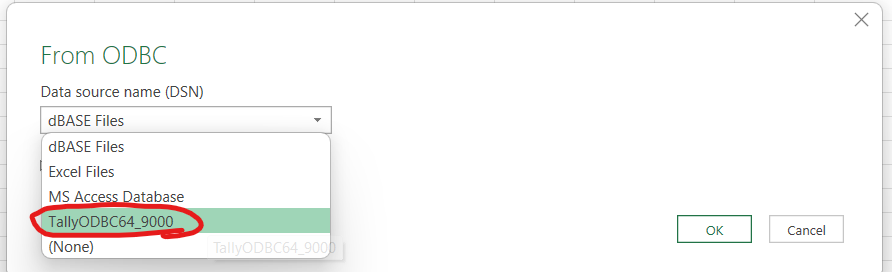
Step 8: Select Tally ODBC
Step 9: Select the File to be opened and use the small arrow at its side
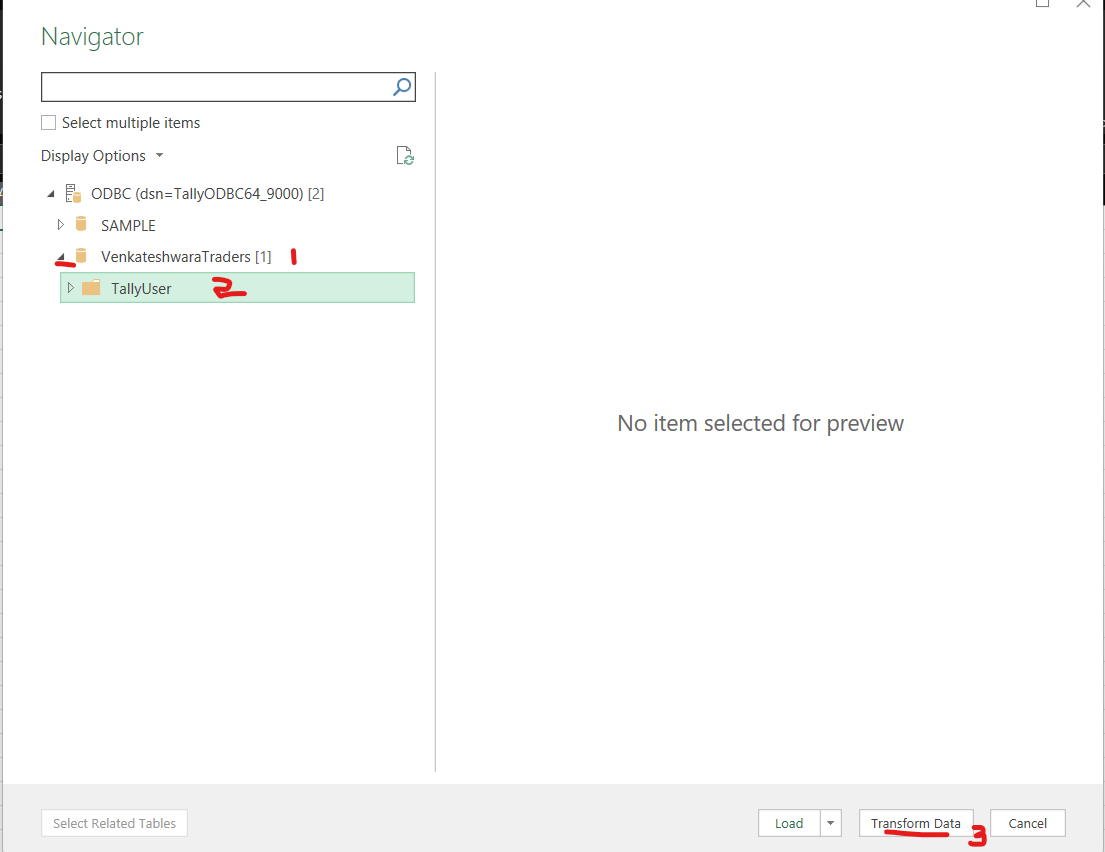
Step 10: Click on tally user and click on transform data
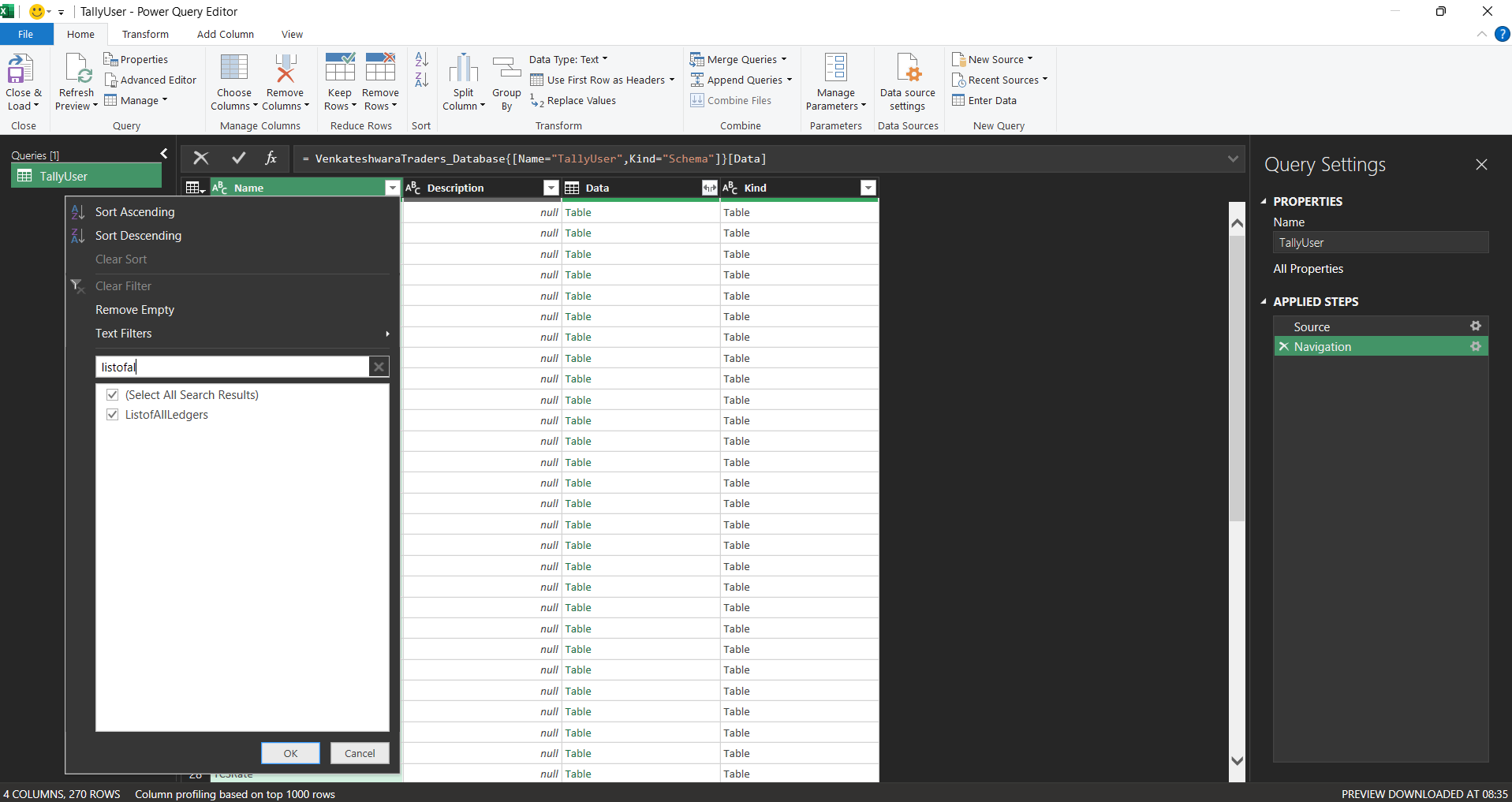
Step 11: Select “listofallledgers” as illustrated as below
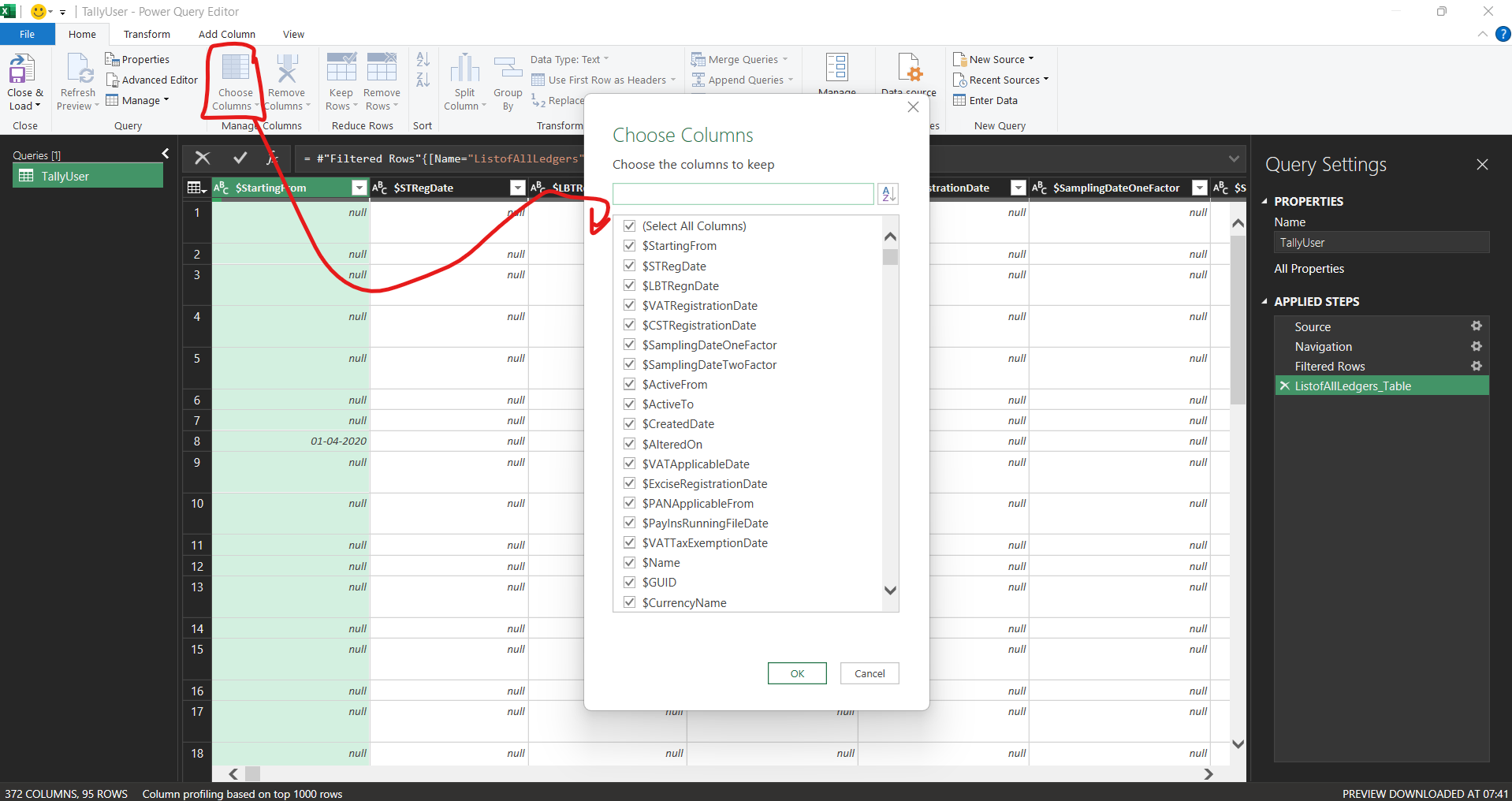
Step 12: Click on the table

Step 13: Click Choose Columns and select the columns “Name”,”Parent”,”PrimaryGroup”,”opening balance”,”closing Balance”
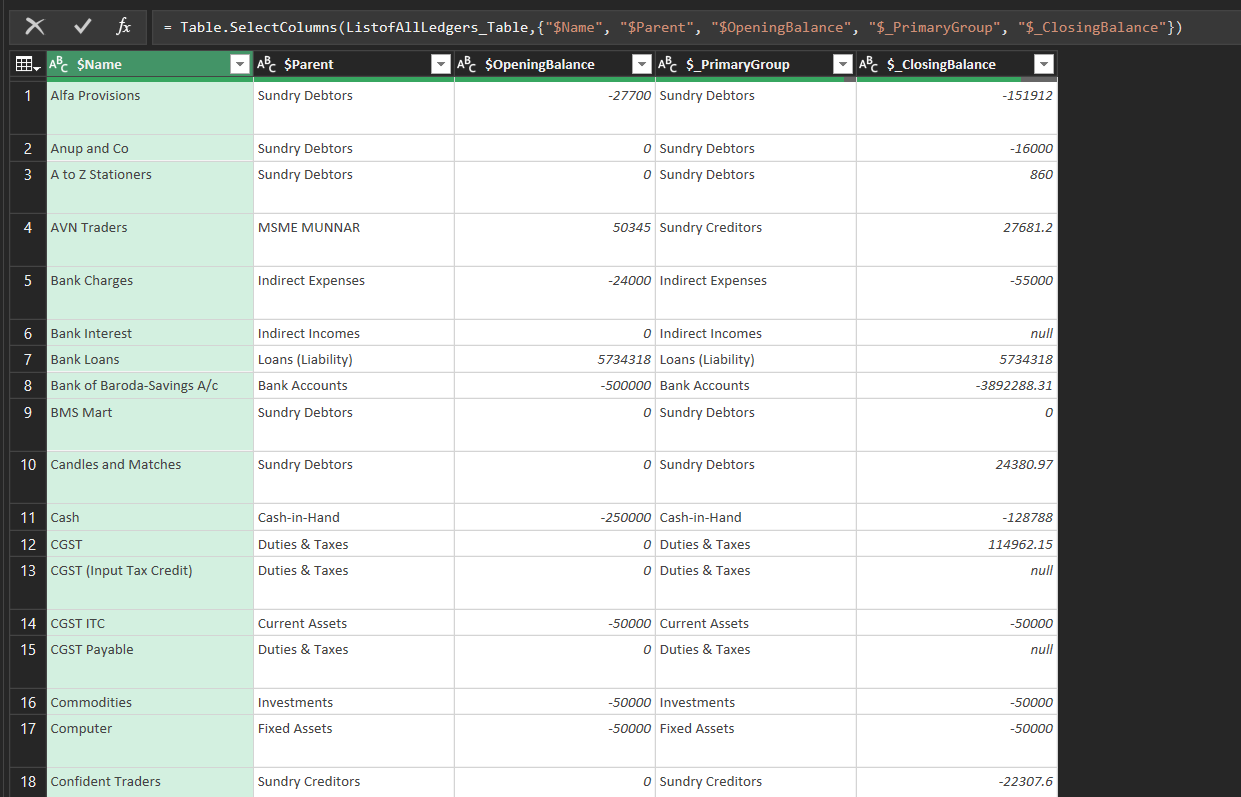
You should have something like below (ENSURE THAT closing balance data type is CURRENCY or else import will not work)
step 14: Duplicate the power Query
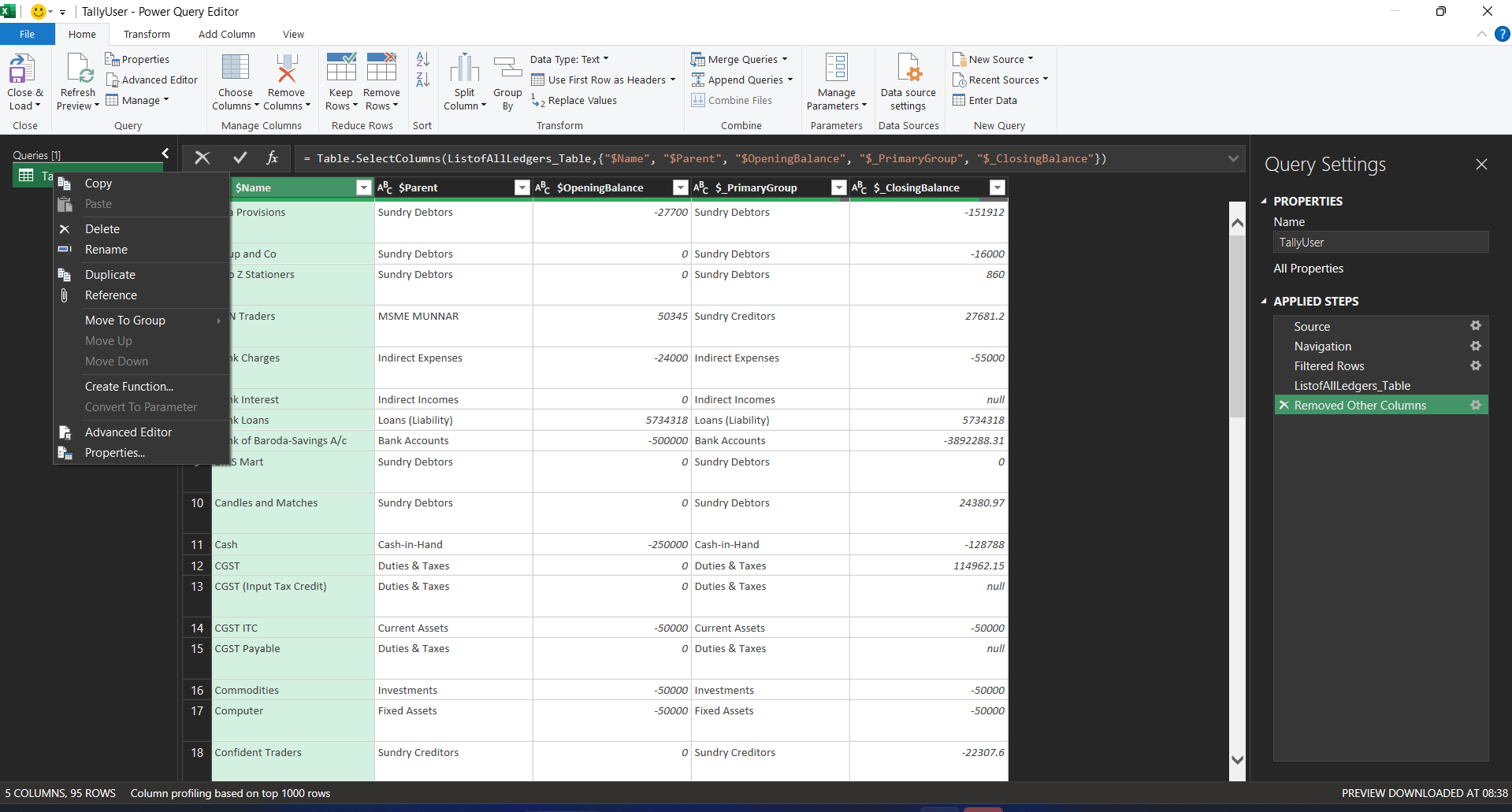
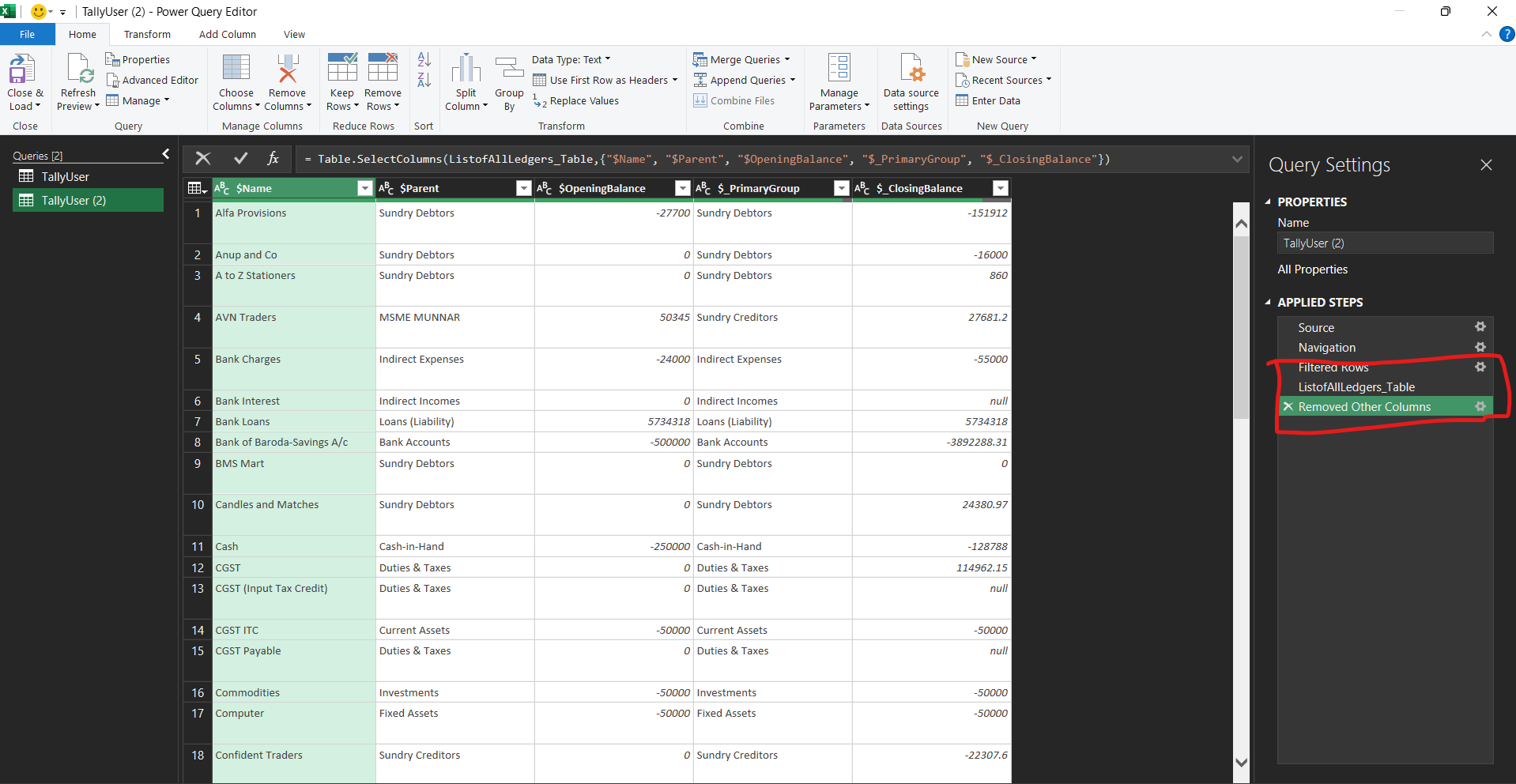
Step 15: Delete the last 3 steps in the new query
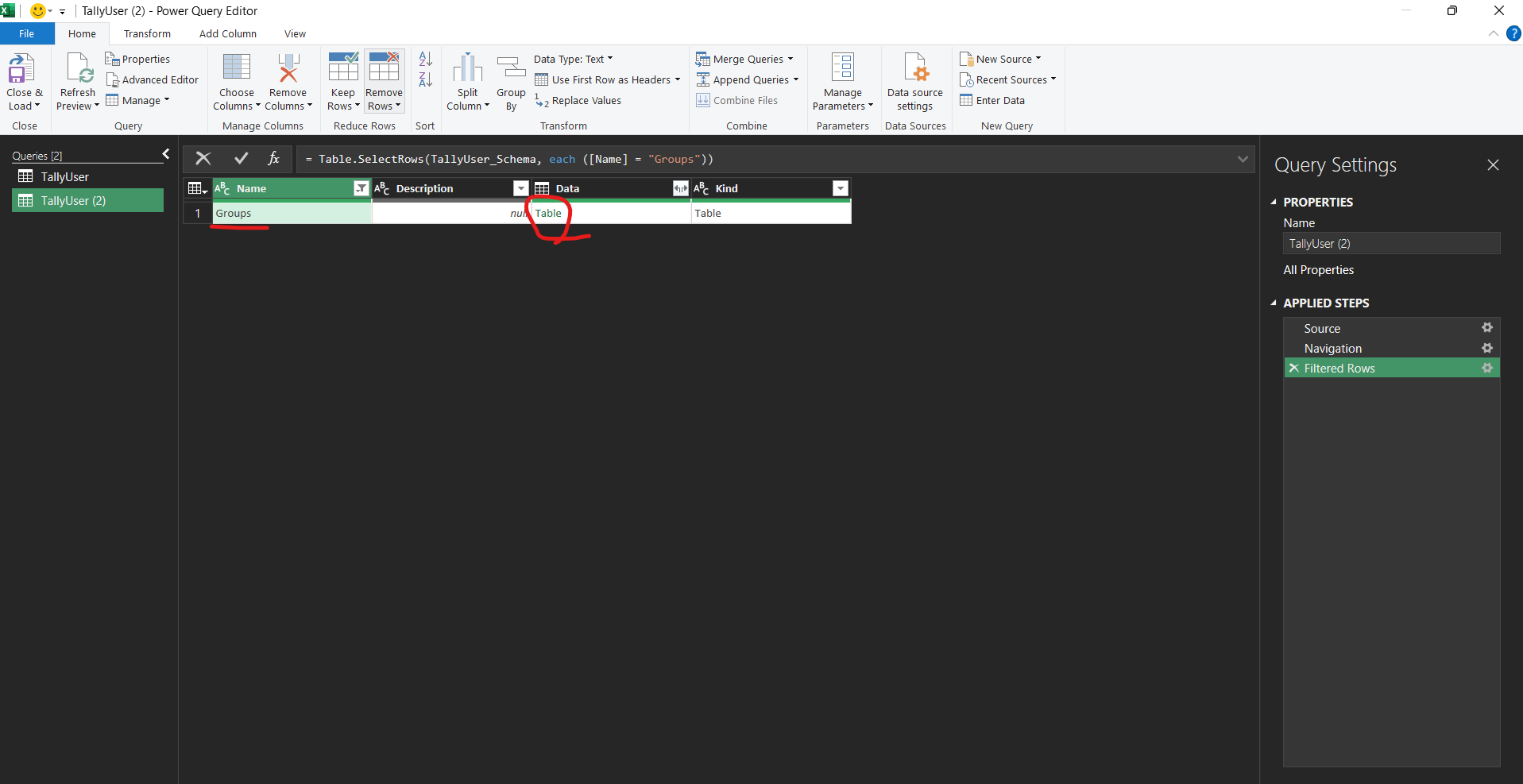
Step 16: Filter for groups and get the groups and click on that table link
Step 17: After clicking on table, click choose columns and select “name”,”parent” and “grandparent”
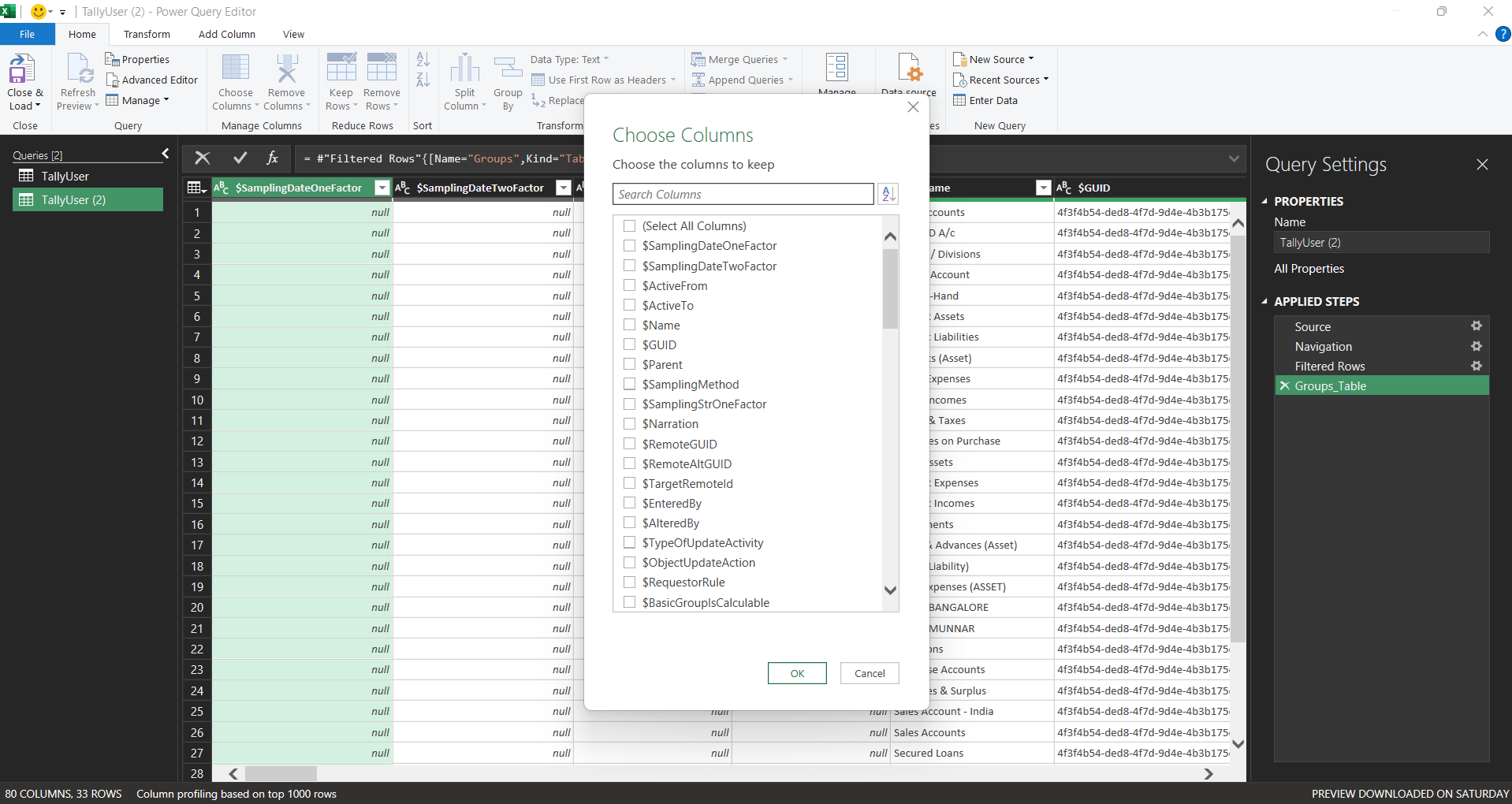
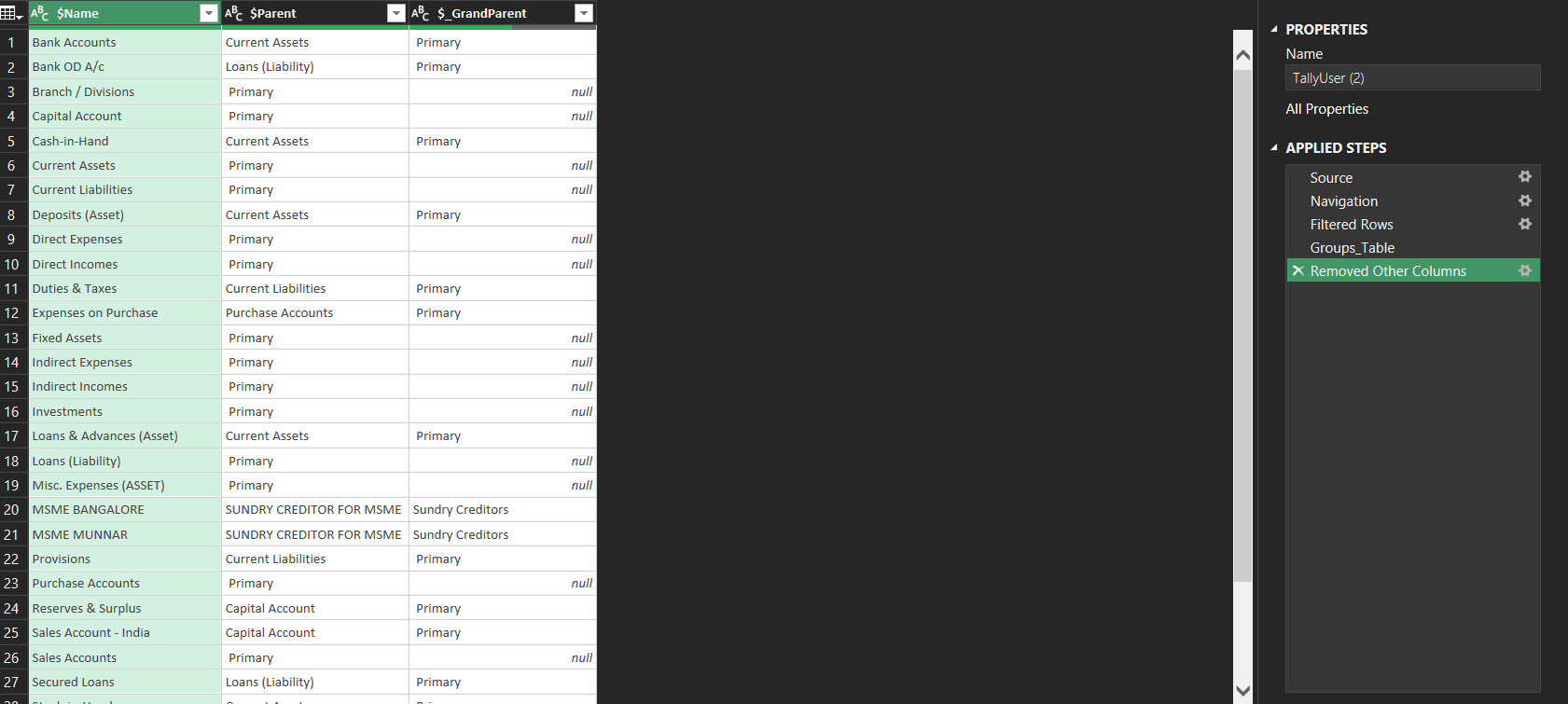
Above should be your output
Close and Load
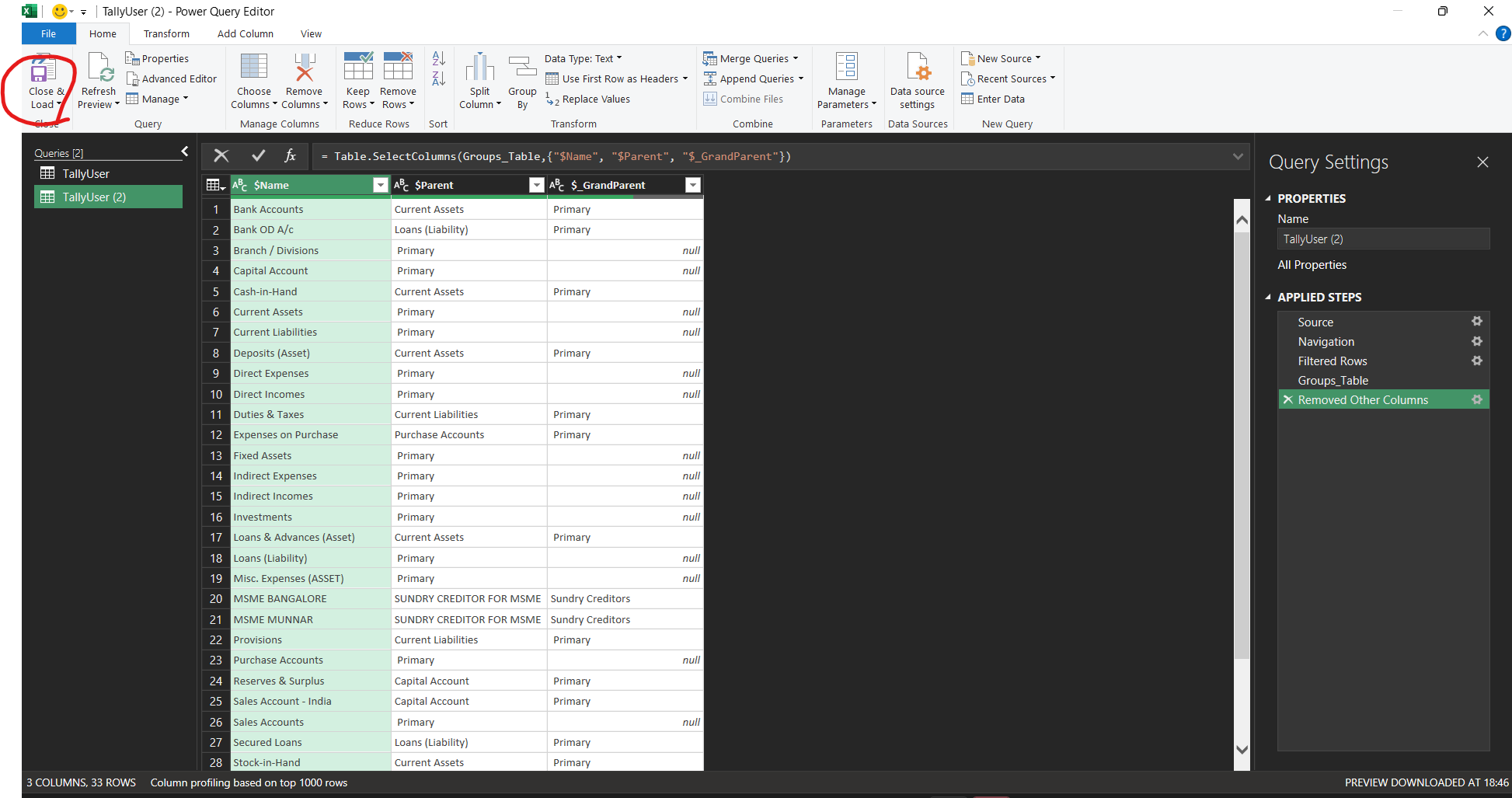
Step 18: Hard paste the Groupings into another Sheet and move that sheet to first sheet of the workbook (VERy very iMPORTANT IF YOU ARE GOING TO JUST REPLICATE MY STEPS FOR GETTING OUTPUT)
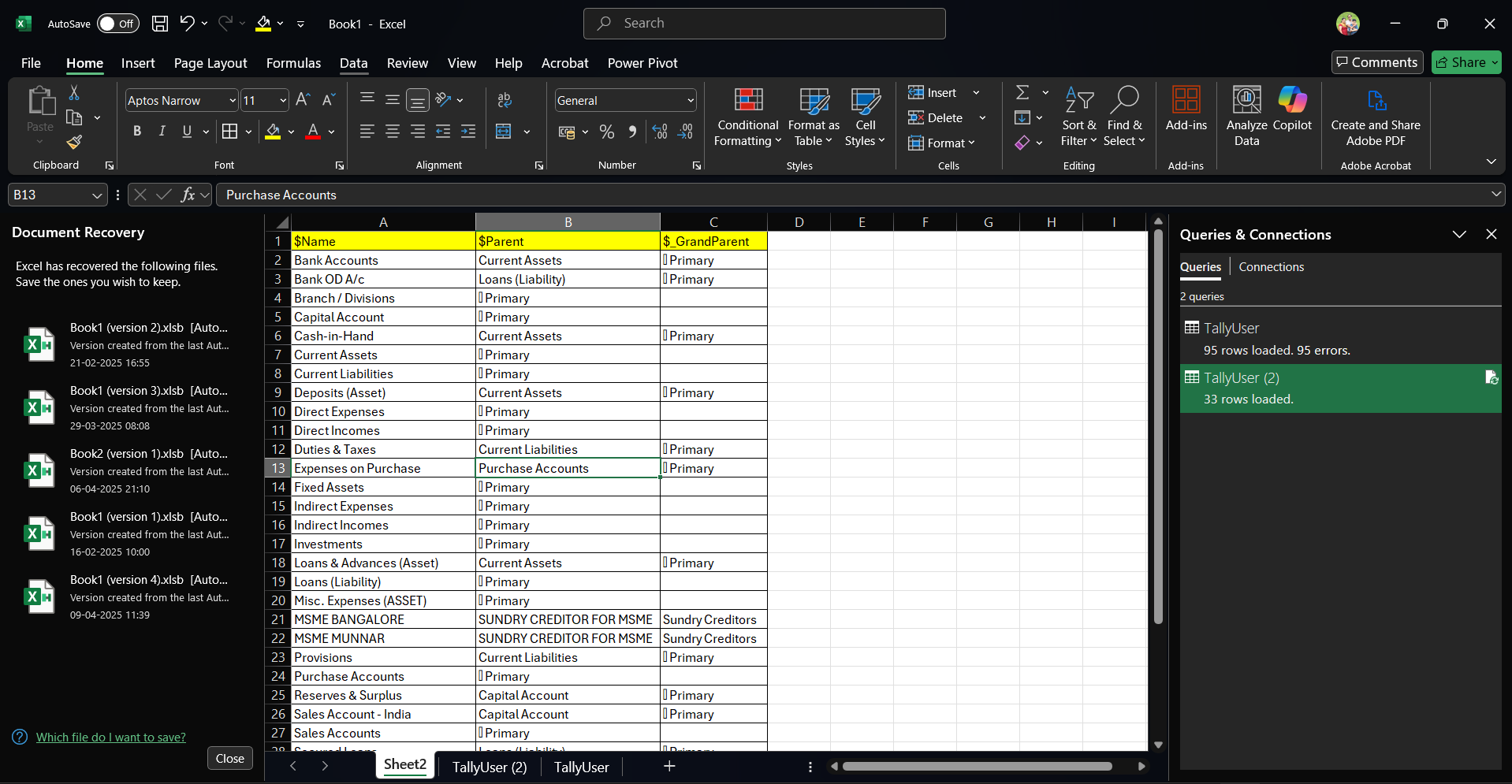
The output should be similar in the first sheet
NOW CLICK ALT+F11 to open the macro
INTO THis sHEET, paste the following VBA CODE
Sub TraceHierarchyToRight()
    Dim dict As Object: Set dict = CreateObject("Scripting.Dictionary")
    Dim lastRow As Long: lastRow = Me.Cells(Me.Rows.Count, "A").End(xlUp).Row

    ' Build dictionary from A:B
    Dim i As Long
    For i = 2 To lastRow
        If Me.Cells(i, 1).Value <> "" And Me.Cells(i, 2).Value <> "" Then
            dict(Me.Cells(i, 1).Value) = Me.Cells(i, 2).Value
        End If
    Next i

    ' Find leaf nodes (appear in From but not in To)
    Dim leafs As Collection: Set leafs = New Collection
    For i = 2 To lastRow
        If IsError(Application.Match(Me.Cells(i, 1).Value, Me.Range("B2:B" & lastRow), 0)) Then
            leafs.Add Me.Cells(i, 1).Value
        End If
    Next i

    ' Optional headers
    Me.Range("D1").Resize(1, 10).Value = Array("Level 1", "Level 2", "Level 3", "Level 4", "Level 5", "Level 6", "Level 7", "Level 8", "Level 9", "Level 10")

    ' Output traced paths
    Dim rowOut As Long: rowOut = 2
    Dim startVal As Variant, currentVal As String
    For Each startVal In leafs
        currentVal = startVal
        Dim colOut As Long: colOut = 4 ' Column D
        Do While dict.exists(currentVal)
            Me.Cells(rowOut, colOut).Value = currentVal
            currentVal = dict(currentVal)
            colOut = colOut + 1
        Loop
        Me.Cells(rowOut, colOut).Value = currentVal ' Final node
        rowOut = rowOut + 1
    Next startVal

    MsgBox "Hierarchy traced successfully!"
End Sub
Run the above VBA CODE
YOU HAVE THE FOLLOWING OUTPUT
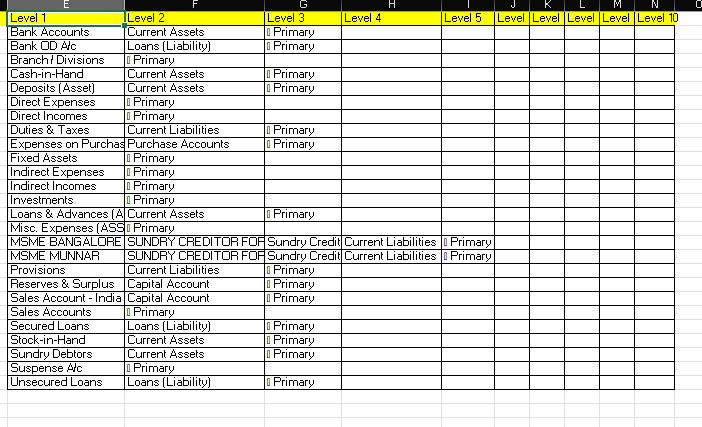
BRO JUST VLOOKUP THE TB to this LEVEL 1 and you have your sub grouped TB READY BOSS